How to Cancel a ChatGPT Subscription on Any Device
Quick answer
Cancel in the place where you started paying. If you subscribed on chatgpt.com, open Settings > Billing and select Cancel under Cancel plan. If you subscribed in the iPhone app, cancel in your Apple subscriptions. If you subscribed in the Android app, cancel in Google Play. Do it at least 24 hours before your next billing date, and you keep the paid features until the period you already paid for ends.
Step 1: Find out who bills you
ChatGPT can be billed in three ways, and each one has its own cancel button:
- OpenAI, if you paid on chatgpt.com.
- Apple, if you subscribed inside the iPhone or iPad app.
- Google Play, if you subscribed inside the Android app.
A plan bought on the web does not show up in your Apple or Google subscriptions, and the other way around. That is the most common reason people can't find the button.
To check, search your email for the receipt. A receipt from Apple or Google means the store bills you. A receipt from OpenAI means you paid on the web. Your card statement gives the same hint: Apple charges show as apple.com/bill, and Google Play charges start with GOOGLE*.
One thing to know before you start: uninstalling the ChatGPT app does not cancel anything. The subscription keeps renewing until you cancel it with whoever bills you.
Cancel on the web (chatgpt.com)
- Sign in to ChatGPT with the account that pays.
- Open your account menu and select Settings.
- Select Billing.
- Under Cancel plan, select Cancel.
If you don't see billing controls, OpenAI suggests signing in to the same account in a different browser and trying again.
Cancel on iPhone or iPad (Apple billing)
- Open the Settings app.
- Tap your name.
- Tap Subscriptions.
- Tap ChatGPT.
- Tap Cancel Subscription and confirm.
If there's no Cancel Subscription button and you see an expiration date instead, the subscription is already cancelled. If ChatGPT isn't in the list at all, you may be signed in with a different Apple Account than the one you used to subscribe. Our guide on cancelling Apple subscriptions on iPhone covers that case.
Cancel on Android (Google Play billing)
First make sure you're signed in to the Google account you used to subscribe. Then:
- Open the Google Play Store app.
- Open Subscriptions.
- Select ChatGPT.
- Select Cancel subscription and follow the prompts.
You can also do it in a browser: open your Google Play subscriptions, select Manage next to ChatGPT, then Cancel subscription. Google may ask for a reason before you select Continue.
If you have more than one Google account on the phone, check each one. We wrote more about this in how to cancel a Google Play subscription.
Cancel a ChatGPT Business plan
For a self-service Business workspace, the owner cancels it:
- Sign in to ChatGPT.
- Open your account menu and select Workspace settings.
- Select Billing, then Manage plan.
- Select Cancel subscription.
If you can't see workspace billing settings, ask the workspace owner. OpenAI's article doesn't cover Enterprise or Edu plans, so for those, talk to whoever manages the plan at your company or school.
What happens after you cancel
- You keep access until the period ends. Paid features stay on until the end of the billing period you already paid for.
- Timing matters. Cancel at least 24 hours before the next billing date. If you cancel later than that, the next charge may already have gone through.
- Your account stays. To stop future charges, you don't need to delete your ChatGPT account.
- No automatic refund. Cancelling stops renewals. It does not give back money for charges you already paid.
To confirm it worked, open the subscription page on the platform that bills you and check that it no longer says it will renew.
Should you delete your account instead?
Deleting your ChatGPT account cancels a plan billed by OpenAI on the web. It does not cancel an Apple subscription, which keeps renewing after the account is gone. If you paid through Google Play, OpenAI says to check your Google Play subscription and cancel it if it's still active.
So if you subscribed through a store, cancel the subscription there first, then delete the account if you want to.
Can you get a refund?
Sometimes, but don't count on it. OpenAI's refund article says ChatGPT payments are generally non-refundable. The exceptions:
- a billing error that OpenAI verifies;
- an unauthorized charge, once it's validated;
- a documented service failure.
For an individual plan bought on the web you didn't use, OpenAI may give a discretionary refund if you ask within 7 days of the charge. It has to be the current billing period, with no substantial use and no open payment dispute, and there are limits on repeat refunds. After 7 days there's no automatic prorated refund, and forgetting to cancel or buying by accident doesn't qualify by itself.
How to ask:
- Log in to ChatGPT with the account that was charged.
- Go to help.openai.com and open the chat widget.
- Ask for a refund. The assistant shows an eligibility summary first. Give a reason and confirm that you understand your paid access will end.
If you see a message asking you to log in, sign in with the same account that has the charge. Web refunds are processed within 5 to 7 business days, and Google Play refunds within 10 business days. OpenAI emails a receipt, so check your spam folder if you don't see it.
If you paid through Apple, OpenAI can't refund you. You have to ask Apple. Here's how to request a refund from Apple.
Also note that if you've opened a dispute with your bank, OpenAI won't process a separate refund while that dispute is active.
Locked out of the account?
If OpenAI bills you directly and you've lost access to the email on the account, OpenAI Support can help cancel. You'll need the email linked to the account (or the billing email), plus any two of these:
- the last four digits of the card;
- the card's expiration date;
- the billing address on the subscription;
- the date of the most recent charge.
Don't send your full card number. Contact them through OpenAI's support page.
If Apple or Google bills you, you'll need to get back into that store account. Apple or Google handles that recovery, not OpenAI.
Still being charged after cancelling?
Check three things, in this order:
- The date. If you cancelled less than 24 hours before renewal, that last charge may have gone through anyway.
- Other accounts. Two charges usually mean two subscriptions, often on different ChatGPT, Apple or Google accounts. Cancel the one you don't want with whoever bills it.
- The confirmation. Look at the subscription page on the billing platform. If it still shows a renewal date, the cancellation didn't go through.
If none of those explain it, contact OpenAI Support for web charges, or Apple or Google for store charges.
Keep an eye on the next one
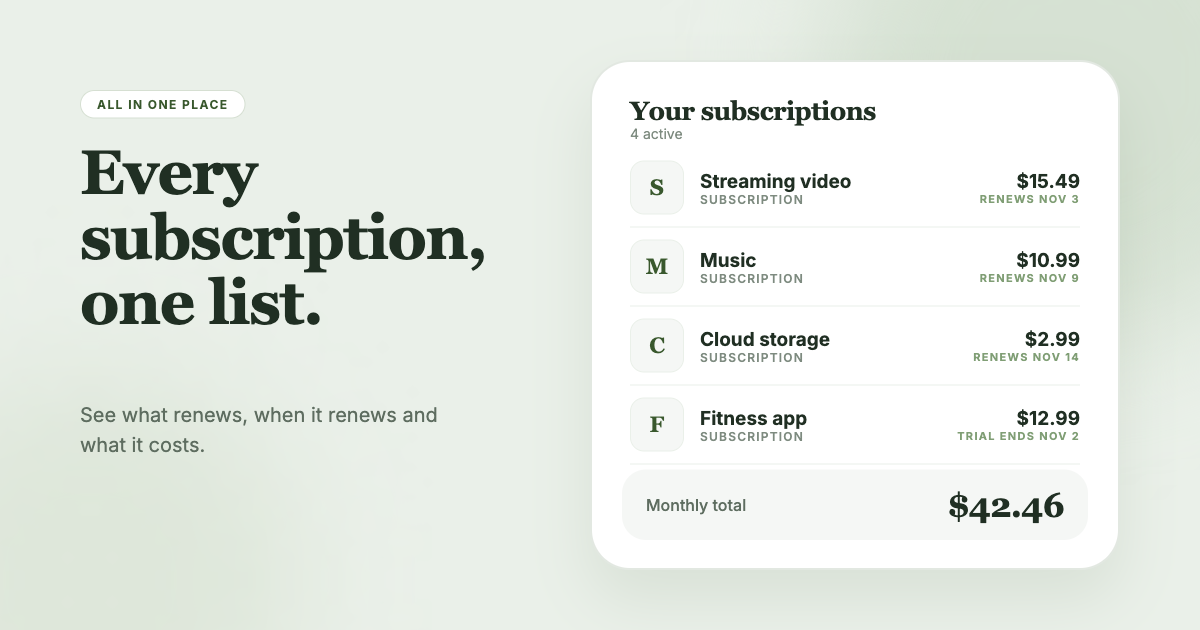
Duplicate AI subscriptions are easy to end up with: one on the web, one bought on a phone, a team plan from work. SubSweeper scans your email receipts (read-only) to surface active subscriptions, free trials and upcoming renewals in one dashboard, so a second ChatGPT plan shows up next to the first. It sends reminders before charges, shows your monthly total, and helps you cancel what you no longer use.