Subscription Fatigue: What It Is and What to Do
Quick answer
Subscription fatigue is the tired, slightly resentful feeling that comes from managing too many recurring payments: streaming, apps, memberships, software, delivery boxes. You sign up for each one for a good reason. Together they become a pile of logins, renewal dates and price changes that you have to keep track of.
The fix has two parts. Cut the list to what you use, then make the remaining charges visible so they stop surprising you.
What subscription fatigue looks like
Most people recognize it by a few signs:
- You open your card statement and cannot name two or three of the recurring charges.
- You pay for a service you have not opened in months, but canceling feels like a chore.
- You keep a streaming service only because you might want one show next season.
- A trial you forgot about turned into a paid plan.
- You feel mild dread when a price-change email arrives, because you would have to decide whether to keep it.
The cost is partly money and partly attention. Each subscription asks for a small decision at sign-up, another at renewal, and another when you consider canceling. Ten of them means a constant low level of admin.
Why it happens
Subscriptions are easy to start and, in many cases, harder to end. The FTC's 2025 settlement with Amazon is a public example. The agency alleged that Amazon enrolled consumers in Prime without their consent and made cancellation difficult, and it estimated that about 35 million consumers were affected by unwanted enrollment or deferred cancellation. Amazon agreed to pay $2.5 billion in total (FTC announcement). That is one company, and it settled, but it shows that regulators treat cancellation friction as a real consumer problem.
The rules on subscription cancellation are also in flux. The FTC finalized a click-to-cancel rule in October 2024, and its Negative Option Rule page lists a March 2026 request for public comment on whether to amend the rule (FTC). Do not count on a new rule to make cancellation easy. Handle your list yourself.
Other causes are ordinary. Free trials roll into paid plans. Annual plans renew months after you forget them. Small prices ($5 here, $9 there) feel too minor to review. And billing is spread across places: app stores, cards, PayPal, company websites.
Step 1: Look at the whole list at once
Fatigue comes partly from not knowing the full picture. Build one list.
- Check your iPhone under Settings, your name, then Subscriptions, or your Google Play subscriptions page.
- Search your email for receipts and renewal notices.
- Scan three months of card and bank statements for repeat merchants.
The detailed method is in our guide on how to find all your subscriptions.
Step 2: Add up the monthly cost
Write each price in monthly terms. Divide annual plans by 12. Add the total.
For example, if you had five services at $10 a month and one annual plan at $120, the monthly total would be $50 plus $10, or $60. Those are example numbers. Use your own. Seeing a single monthly figure makes the decision concrete.
Step 3: Keep, pause or cancel
Sort each line into one of three groups.
- Keep. You used it in the past month and would notice if it disappeared.
- Pause or rotate. You want it sometimes. Some Google Play subscriptions can be paused for periods that typically range from one week to three months, though only some apps offer it (Google Play Help). For streaming, cancel after a season and resubscribe when you want to watch.
- Cancel. You have not used it in 30 days and cannot name the next time you will.
A cancellation is rarely permanent. You can sign up again later. Keeping a service for fear of missing out usually costs more than a month of resubscribing.
Step 4: Cancel where you subscribed
Cancel through the same place you signed up. On an iPhone, open Settings, tap your name, tap Subscriptions, choose the subscription and tap Cancel Subscription (Apple Support). On Google Play, select the subscription and tap Cancel subscription. Deleting the app does not cancel it. After canceling, you keep access until the paid period ends.
For subscriptions billed by the company directly, log in to the account page or contact the company, then watch the next statement for a charge.
Step 5: Set a rule for new subscriptions
Fatigue returns if the list grows again. A few rules help:
- Write the trial end date in your calendar the day you sign up. Apple advises canceling at least 24 hours before a trial ends if you do not want it to renew.
- Set a cap on your monthly subscription total.
- Ask whether you would sign up again today at full price. If not, skip it.
- Review the list every quarter.
Make the remaining charges visible
Most of the stress goes away once you see what is coming. A single view of renewals, with a warning before each charge, replaces the constant checking.
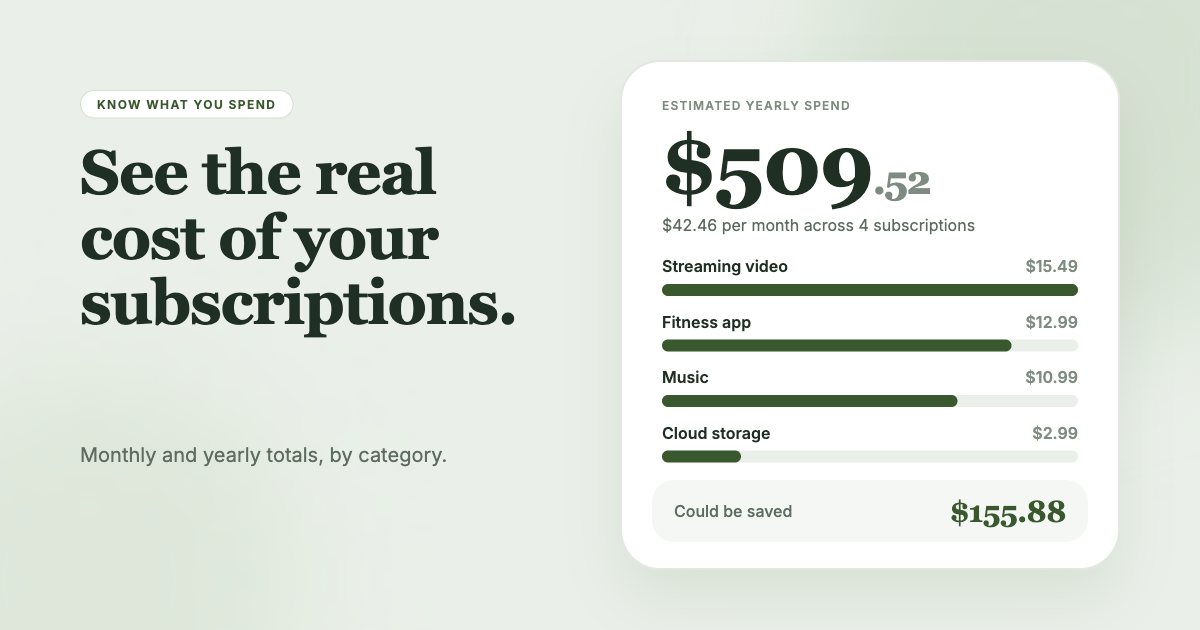
SubSweeper reads your email receipts (read-only) to build one dashboard of active subscriptions, free trials and upcoming renewals, shows your monthly total by category, and sends reminders before charges. It also helps you cancel what you decide to drop.