Subscription Cost Calculator: A Simple Method
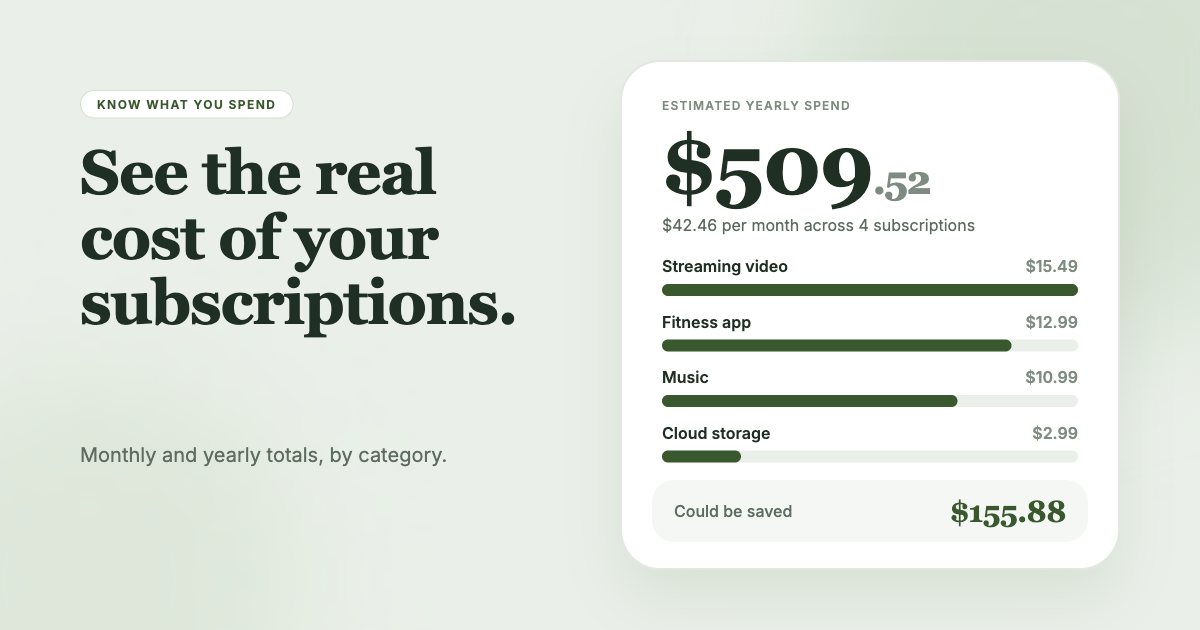
Quick answer
Convert every subscription to a monthly price, add them up, then multiply by 12 for the yearly cost. Weekly price x 4.33 is monthly. Annual price / 12 is monthly. The result is what your subscriptions cost you. All the numbers below are examples. Replace them with yours.
The three formulas
| Billing period | Monthly cost |
|---|---|
| Weekly | Price x 4.33 |
| Monthly | Price as is |
| Quarterly | Price / 3 |
| Annual | Price / 12 |
Then:
- Monthly total = sum of the monthly costs
- Yearly total = monthly total x 12
The 4.33 comes from dividing 52 weeks by 12 months. You can use 4 for a rough figure, but 4.33 is closer.
Step 1: Collect the prices
You need a list of what you pay. Open your phone's subscription page, search your email for receipts and scan your card statements. On an iPhone, go to Settings, tap your name, tap Subscriptions. On Google Play, open the subscriptions page (Apple Support, Google Play Help). The full process is in our guide on how to find all your subscriptions.
Use the price on the latest receipt, not the price you remember. Prices change, and tax can add to the total.
Step 2: Convert each price to monthly
Here is a worked example with invented services and prices. These are not real prices.
| Service | Price | Period | Monthly cost |
|---|---|---|---|
| Streaming A | $15.00 | Monthly | $15.00 |
| Music B | $11.00 | Monthly | $11.00 |
| Cloud storage C | $30.00 | Annual | $2.50 |
| News D | $12.00 | Quarterly | $4.00 |
| Fitness app E | $5.00 | Weekly | $21.65 |
| Software F | $120.00 | Annual | $10.00 |
Check the math: $30 / 12 is $2.50. $12 / 3 is $4.00. $5 x 4.33 is $21.65. $120 / 12 is $10.00.
Step 3: Add them up
Monthly total: $15.00 + $11.00 + $2.50 + $4.00 + $21.65 + $10.00 = $64.15.
Yearly total: $64.15 x 12 = $769.80.
In this example, one weekly plan costs more per month than the streaming and music plans together, which is easy to miss when the price per charge looks small. A quick look at a weekly price can understate what it costs by a factor of four.
Step 4: Find the cost per use
The total does not say whether a subscription is worth it. Cost per use does.
Cost per use = monthly cost / number of times you used it last month.
Example: the $15.00 streaming plan, used on 10 evenings, costs $1.50 per use. The $21.65 fitness app, opened twice, costs $10.83 per use. The streaming plan is better value even though it costs less to start with.
A subscription you did not use has no cost per use. It has a cost with no return, so it goes on your cancel list.
Step 5: Add the hidden items
Count three things that do not show on a simple list:
- Free trials that will convert. Add their post-trial price to your monthly total so you see the cost before it starts.
- Price increases. If a service raised its price, use the new one.
- Add-ons. Extra storage, premium tiers and extra seats are separate charges.
For trials, Apple advises canceling at least 24 hours before the trial ends if you do not want it to renew.
Step 6: Compare with your budget
Take your monthly total and divide by your monthly take-home income. The result is the share of income going to subscriptions. Example: $64.15 on $4,000 take-home pay is 1.6 percent. The same $64.15 on $1,500 is 4.3 percent. Pick a cap that suits you and keep to it.
A cap forces a trade. To add a new subscription, remove one.
Quick savings check
Once you have the total, test what a cut would do. If you cancel the fitness app in the example, the monthly total falls from $64.15 to $42.50, and the yearly total falls from $769.80 to $510.00. Seeing the yearly number tends to make a decision easier than staring at the monthly one.
For more ways to cut, read how to save money on subscriptions.
Common mistakes in the math
- Using the headline price. Taxes and fees can lift the charge above the advertised price. Use the amount on the receipt or statement.
- Treating annual plans as free months. An annual plan is a lump sum. Divide it by 12 to compare it with monthly plans, then check whether you will use it for the full year.
- Forgetting weekly plans. They look cheap on the sign-up screen and add up fast. Multiply by 4.33.
- Skipping the yearly figure. Monthly numbers feel small. The yearly total is the one to compare with other things you could spend on.
- Leaving the sheet untouched. Prices change. Refresh the numbers each quarter.
The method works on paper, in a spreadsheet or in your notes app. Any tool that does simple multiplication will do.
Let a tool do the math
A spreadsheet works if you keep it current. SubSweeper builds the list from your email receipts (read-only), shows active subscriptions, free trials and upcoming renewals in one dashboard, and displays a monthly total with categories. It also sends reminders before charges, so the total stays in step with what you pay.