How to Track Subscriptions: A Simple Setup
Quick answer
Keep one list with six facts per subscription: name, price, billing period, next charge date, where it is billed, and whether you used it. Add calendar reminders a few days before each renewal. Spend five minutes a month comparing the list with your latest statement and your phone's subscription page. That is enough to catch most surprises.
Pick a place for the list
Choose a format you will open. Three work well.
- Spreadsheet. Best for totals and sorting. Google Sheets or Excel both work.
- Notes app. Fine for fewer than ten subscriptions.
- A subscription tool. Worth it if you have many or you keep forgetting to update the list.
Do not split the list across places. One location means one source of truth.
Columns to include
| Column | Why you need it |
|---|---|
| Service | The name you recognize |
| Price | What each charge costs |
| Billing period | Monthly, annual, weekly |
| Monthly cost | Annual price divided by 12 |
| Next charge date | Drives your reminders |
| Billed through | App Store, Google Play, card, PayPal, direct debit |
| Cancel link or path | Saves time when you decide to cancel |
| Last used | Tells you what to cut |
The cancel path column pays for itself. For an iPhone, the path is Settings, your name, Subscriptions. For Google Play, it is the subscriptions page at play.google.com/store/account/subscriptions (Apple Support, Google Play Help).
Fill in the first version
You need the starting list before tracking can begin. Check your phone's subscription lists, your email for receipts and your card statements for repeating merchants. The full method is in our guide on how to find all your subscriptions.
Add the totals row. Here is an example with invented numbers: three plans at $10, $14 and $18 a month plus a $60 annual plan comes to $42 plus $5, or $47 a month. That figure is your baseline.
Set reminders
Reminders do more than the list does. For each subscription, add a calendar event a few days before the renewal date, titled with the service name and price. For annual plans, set two: one a month before and one a few days before.
For free trials, set the reminder for the day before the trial ends at the latest. Apple says to cancel at least 24 hours before a trial ends if you do not want it to renew (Apple Support). A reminder set for the last day is too late.
Make reminders repeat. Calendar apps let you set a monthly or yearly recurrence, so you do not need to recreate them.
Run a monthly five-minute check
Put a recurring event on your calendar for the first weekend of each month. Then:
- Open last month's card statement. Match each recurring charge to a row on your list.
- Add any new row for a charge you cannot match, and find out what it is.
- Open your phone's subscription page and compare it with the list.
- Mark the Last used column. If you did not use a service this month, decide whether to cancel.
- Update the total.
If you see a charge you do not recognize, our guide on unknown charges shows how to trace it.
Track the places your list misses
A spreadsheet only knows what you tell it. These sources feed the list:
- Apple and Google. New items appear on their subscription pages. In Google Play, orders also show under Payments & subscriptions, then Budget & history in the Play Store app (Google Play Help).
- Email. Search for receipt, renewal and trial each month. New sign-ups leave a message.
- Statements. A new recurring merchant is the most reliable signal of a subscription you did not log.
- Family members. If someone else pays through their own Apple Account, they must cancel it. Apple notes you cannot cancel a family member's subscription for them. Add a note in your list about who owns it.
Decide what to track by price
You do not need to log a $1 charge with the same care as a $30 one, but small charges deserve a place on the list. They are the easiest to forget. Include everything and sort by monthly cost. The top five lines tend to matter most, but low-priced ones that you do not use are the cleanest cancels.
Share the list with your household
If you split costs with a partner or family, share the sheet. Add a column for who uses each service. That makes cancel decisions simple: a service no one uses goes, and a service used by one person can be moved to that person's card. Agree on one person who owns the monthly check so it does not fall between two people.
Keep tracking cheap
The main risk is stopping. A tracking system fails when it takes too long. If your monthly check runs past ten minutes, trim the columns. Keep the ones that drive a decision: price, next charge date and last used.
Review the system itself twice a year. Delete rows you canceled, and archive them on a second tab so you can see what you saved.
Let software do the updating
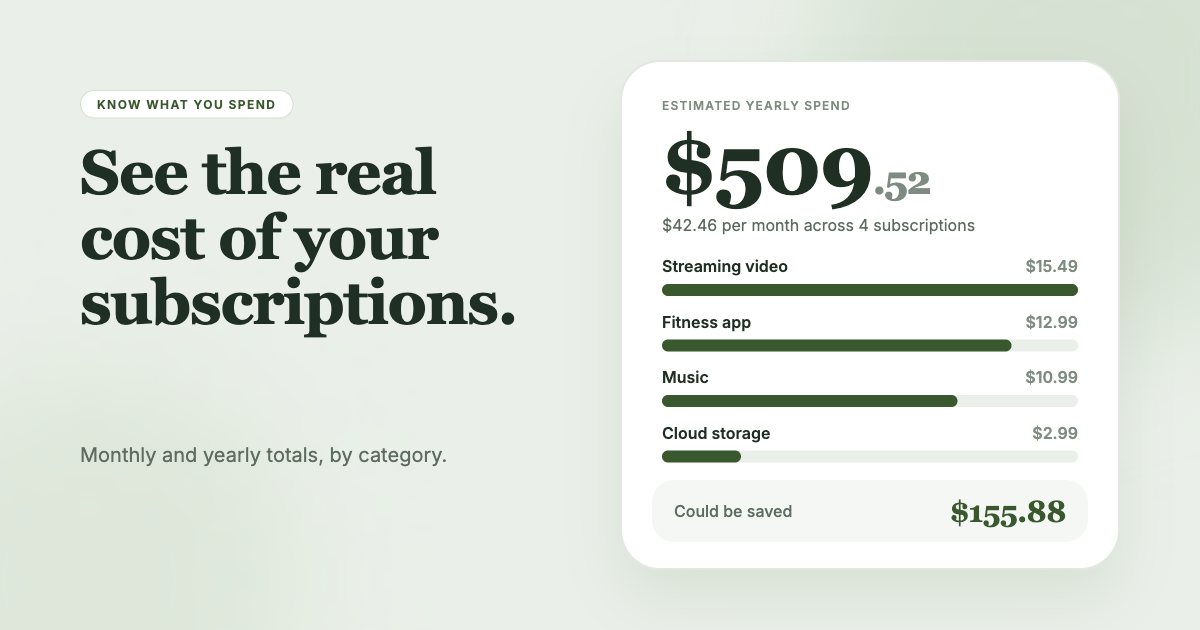
A spreadsheet needs you to type. If you would rather not, SubSweeper reads your email receipts (read-only) and builds one dashboard of active subscriptions, free trials and upcoming renewals, with a monthly total and categories. It sends reminders before charges and helps you cancel, so the list updates without manual entry.