Cancel Subscriptions on iPad and Mac (and apple.com/bill)
Quick answer
On an iPad, open Settings, tap your name, tap Subscriptions, tap the subscription, then tap Cancel Subscription. On a Mac, open the App Store, click your name at the bottom of the sidebar, click the subscription, then click Cancel Subscription.
If a charge on your bank statement says apple.com/bill, it came from Apple. It can be an app, music, a movie, a subscription renewal, or a purchase by a family member. Apple's purchase history tells you which.
Cancel on an iPad
Apple's cancel page uses the same steps for iPad as for iPhone. The page covers subscriptions from Apple, such as Apple Music, and subscriptions you bought with an app from the App Store.
- Open Settings.
- Tap your name at the top.
- Tap Subscriptions.
- Tap the subscription you want to cancel.
- Tap Cancel Subscription. You might need to scroll down to find the button.
If there is no Cancel button, or you see an expiration message in red text, Apple says the subscription is already canceled. Use that as your check. Open the subscription again after you cancel, and look for the red text.
Cancel on a Mac
On a Mac the subscription list lives in the App Store, per Apple's cancel page:
- Open the App Store.
- Click your name at the bottom of the sidebar. Or click the sign-in button and sign in to your Apple Account.
- On the page that appears, click your name again. You might be asked to sign in.
- Click the subscription you want to cancel.
- Click Cancel Subscription.
The same rule applies. No Cancel button, or red expiration text, means it is already canceled. If you do not see the subscription you expect, you might be signed in to the wrong Apple Account. People who changed Apple Accounts over the years often have a second one.
Other places to cancel
You do not need an iPad or Mac in front of you. Apple says you can also cancel on the web at account.apple.com by opening Subscriptions. Two other cases come up often:
- Windows PC: Apple Music and Apple TV subscriptions can be canceled in the Apple Music or Apple TV app for Windows. Click your name at the bottom of the sidebar, choose View My Account, click Manage next to Subscriptions, click Edit on the subscription, and click Cancel Subscription.
- Android: if you subscribe to Apple Music or Apple TV on Android and are billed through Google Play, you cancel in the Google Play app instead.
Apple Vision Pro uses the same Settings steps as iPhone and iPad.
If you can't find the subscription
Apple's route for a missing subscription starts in your inbox:
- Search your email for receipt from Apple or invoice from Apple.
- On the receipt, check which Apple Account was used.
- If it is another account of yours, sign in to that account and cancel there.
- If a family member's account appears, ask them to cancel. Apple says you can't cancel a family member's subscription.
- If there is no receipt from Apple, you might have bought the subscription from another company. Check your bank or credit card statement to see who bills you, then contact that company.
Subscriptions that came through a wireless carrier or another provider are managed with that provider. If you need to change the Apple Account linked to such a subscription, Apple says to contact Apple Support first, then your carrier.
What is apple.com/bill?
Apple's page on apple.com/bill charges says the text appears on your billing statement when you buy an app, music, a movie or other content from Apple. It also appears when a subscription renews and when a family member buys apps or content from Apple.
So apple.com/bill is not a company name like a streaming service. It is Apple's label for charges it collects, and one line can stand in for many different things.
How to see what an apple.com/bill charge was for
Apple gives this sequence:
- Go to reportaproblem.apple.com and sign in to your Apple Account.
- Find the purchase date that matches your statement.
- Tap or click the purchase date to see the full receipt, including tax.
Apple notes that multiple purchases, including subscriptions, might be grouped onto one charge. A single statement amount can therefore be larger than any one subscription you remember. If you use Family Sharing and you are the Family organizer with Purchase Sharing turned on, sign in and use the Apple Account button to pick a family member and see their purchases.
On a device, Apple's purchase history page describes the App Store route. Tap your photo or initials, tap Apps & Purchase History, then tap Purchase History.
If you can't find the apple.com/bill charge
Apple lists two checks:
- If you have more than one Apple Account, you may have used a different one for the purchase. Sign in to reportaproblem.apple.com with each account and review the history.
- If you share credit card details with a family member, ask whether they made the purchase.
If you checked reportaproblem.apple.com and still can't tell why you were charged, Apple's page directs you to contact Apple Support. Apple's help page for apple.com/bill also lets you request a refund after you sign in, and says that if the charge is for a subscription you can cancel it to prevent future charges.
A subscription you no longer want
When the apple.com/bill line turns out to be a subscription, cancel it with the steps above. Apple says canceling prevents future charges. The page does not say what happens to access for the time you already paid for, so check the date shown on the subscription screen after you cancel.
For a free trial, Apple says to cancel at least 24 hours before it ends if you do not want it to renew.
A single list for everything
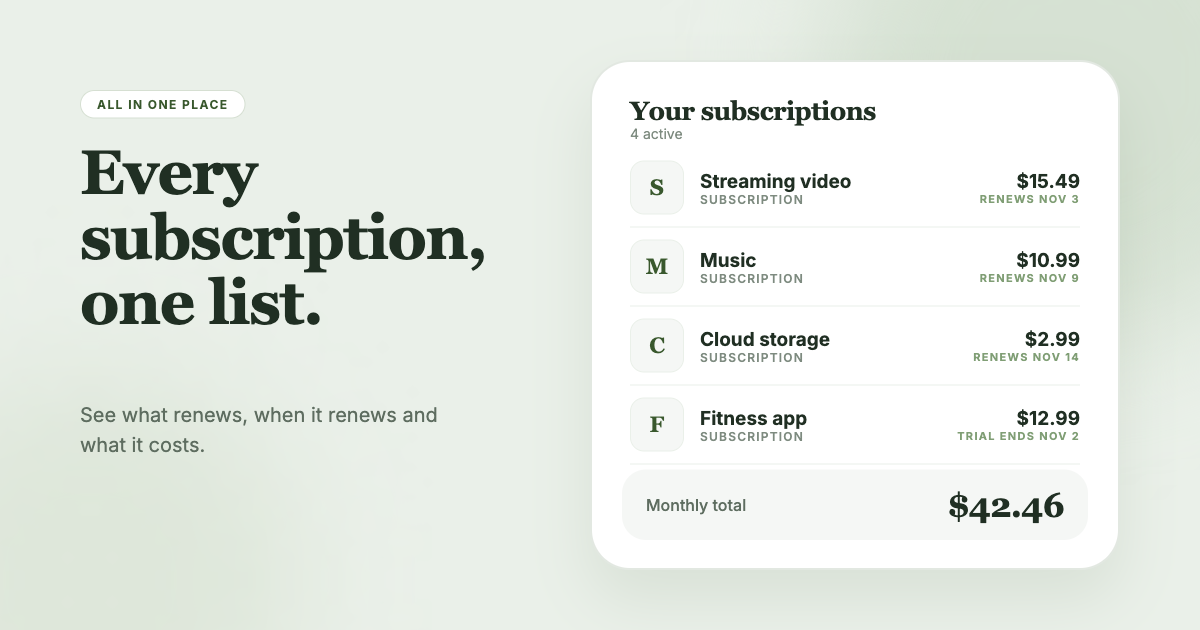
Apple charges are one slice of what leaves your account. Streaming sites, PayPal agreements and Google Play plans each bill through a different door. SubSweeper scans your email receipts (read-only) to surface active subscriptions, free trials and upcoming renewals in one dashboard, so an Apple receipt shows next to the rest. It shows a monthly total, sends reminders before charges, and helps you cancel the ones you no longer use.