App to Find Subscriptions You Forgot About
Quick answer
Three kinds of app can find subscriptions. Bank-linked finance apps (Rocket Money, Copilot, Monarch, Simplifi) look for repeating charges. Email-based apps such as SubSweeper read receipts in your inbox. Your phone's own subscription list finds anything billed through Apple or Google. Start with the phone list because it is free and takes two minutes, then add one of the other two to catch the rest.
Why subscriptions get lost
A subscription slips out of sight when the charge is small, the billing is annual, or it started as a free trial. You signed up once, the confirmation scrolled out of your inbox, and the charge now looks like background noise on your statement.
Each type of app finds them through a different trail, and each misses what the others catch.
Type 1: Your phone's list
On an iPhone, open Settings, tap your name, and tap Subscriptions. Apple's support page describes that path.
On Android, open your subscriptions page in Google Play. Google points out that a subscription may be on a different Google Account than the one you are signed into, so check each account you use.
What it finds: apps, games, and media billed through the store. What it misses: anything you pay by card directly to a company.
Type 2: Finance apps that read your accounts
These apps look at the transactions in linked accounts and flag repeating merchants.
- Rocket Money says it instantly finds and tracks your subscriptions. Free plan users can link accounts and see subscriptions in one place.
- Copilot has a Spot subscriptions section and shows upcoming charges. Its site lists iPhone, iPad, Mac, and the web.
- Monarch says it automatically detects recurring subscriptions such as streaming services, gyms, and app memberships.
- Simplifi says you can view all your subscriptions so you do not forget any.
Rocket Money's missing subscriptions article is useful even if you use a different app, because it explains the typical gaps. Detection can fail if the account you pay from is not linked properly, if the bank is not supported, or if the account was linked recently and still processing. It also notes that a bill with no payment in the past month moves to an Inactive list.
In short, a bank-linked app is only as complete as the accounts you connect. If you pay one subscription with a card you forgot to link, it stays hidden. Link every checking account and card you use.
What it finds: any repeating charge on a linked account, whoever bills it. What it misses: subscriptions on unlinked accounts, and anything paid with cash-like methods such as gift cards.
Type 3: Apps that read your email receipts
Email-based apps look for receipts, renewal notices, and trial confirmations in your inbox. This finds subscriptions regardless of how you pay, because the receipt goes to your email either way. It is also good at free trials, since the sign-up message names the service and often the trial length.
What it finds: services that send email, including those billed by card, PayPal, or an app store. What it misses: services that send no receipts, and receipts that went to an email address you did not connect.
Look for read-only access. An app that only needs to read receipts has no reason to send or delete messages.
Do it by hand in thirty minutes
You can also find subscriptions without any app.
- Pull up three months of statements for every card and bank account you use.
- Mark every merchant that appears more than once at the same amount.
- Search your inbox for receipt, renewal, trial, and will renew.
- Check your phone's subscription list.
- Write each one down with its price and next billing date.
Annual charges hide best, so go back twelve months for the card you use most.
Which one to pick
- You want a free first pass: your phone's list.
- You want a full financial picture and are comfortable linking accounts: a finance app.
- You want to find subscriptions and trials without linking a bank: an email-based app.
- You want the cheapest possible answer: the thirty-minute manual pass.
Combining two is more reliable than relying on one. A bank-linked app and a phone list overlap on store-billed items but each finds items the other does not.
After you find them
Finding is half the job. For each subscription, decide to keep, cancel, or downgrade, and write the decision next to it. Move the renewal date into your calendar with a reminder a few days ahead.
What a hidden subscription looks like
On a statement, a subscription often shows up under the name of a payment company or a parent brand instead of the service you remember. A charge from an unfamiliar name that repeats at the same amount is a candidate. Search that name in your email, and the receipt will tell you what it is.
Free trials leave a different trail. The sign-up message names the service and the trial length, and the first paid charge follows a week or a month later. If you find a trial confirmation with no matching cancellation message, check whether the trial rolled into a paid plan.
Price changes hide in plain sight. A plan that cost one amount last year may bill a higher amount now. When you audit, compare the latest charge with the oldest one you can find.
Where SubSweeper fits
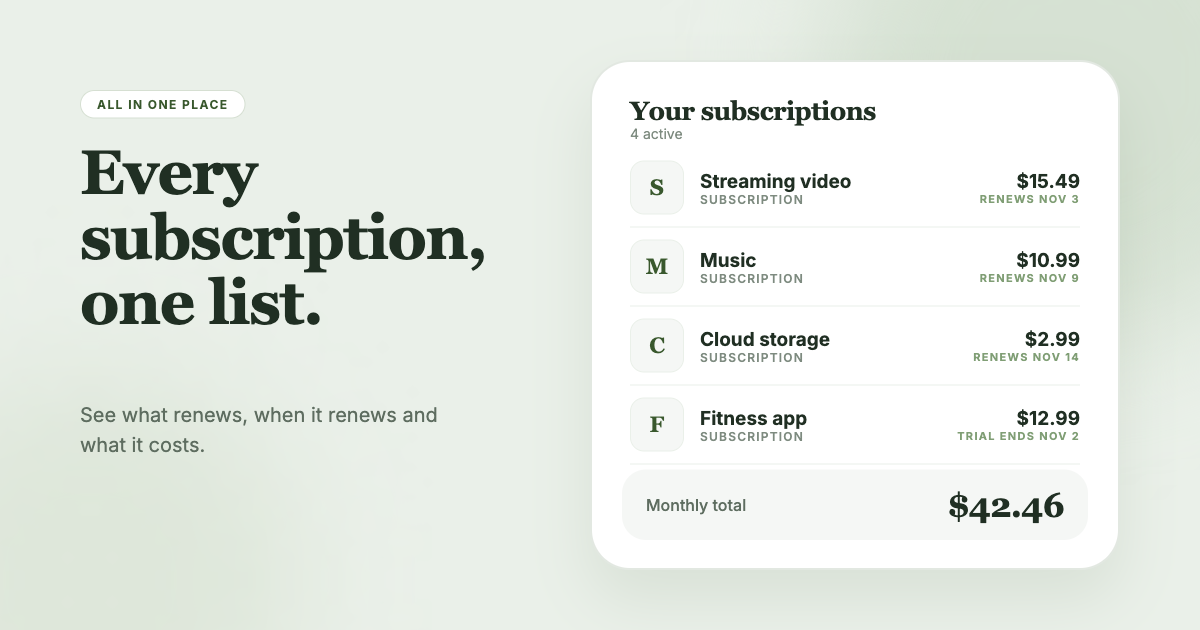
SubSweeper scans your email receipts (read-only) and lists your active subscriptions, free trials, and upcoming renewals in one dashboard. It sends reminders before charges, shows a monthly total and categories, and helps you cancel. If your main problem is that you do not know what you are paying for, a receipt scan gives you the list without connecting a bank.