How to Track Recurring Payments With an App
Quick answer
To track recurring payments with an app, pick an app that detects them from your bank or your email, connect the accounts you pay from, check its list against your last three statements, turn on alerts for upcoming charges, and review the list once a month. Most gaps come from an account you forgot to connect, so start by writing down each card and account that pays a bill.
Step 1: Pick how the app finds payments
Apps use one of two sources.
Bank and card link. Rocket Money, Copilot, Monarch, and Simplifi all describe working from your financial accounts. Rocket Money says its algorithm finds your recurring subscriptions and bills, and Monarch says it detects recurring items such as streaming services, gyms, and app memberships and connects to more than 13,000 institutions. Simplifi describes a Reminders list of upcoming bills and paychecks.
Email receipts. An email-based app looks for receipts and renewal notices, which means it can see payments no matter how you paid, as long as the company sent an email.
The first source sees every charge on a linked account, including rent or utilities that send no email. The second sees subscriptions across payment methods without bank access. Choose the one that fits what you are willing to connect.
Step 2: Write down where money leaves
Before you connect anything, list every account that pays a recurring bill: checking, savings, each credit card, PayPal, and your Apple and Google accounts. Rocket Money's help article explains that detection relies on the account you pay from, so a subscription on an unlinked account goes undetected. The article also lists an unsupported bank as a cause.
This list is the main reason people think an app missed something. The app saw only the accounts it was given.
Step 3: Connect and wait for processing
Connect the accounts, then allow time. Rocket Money's help article says recently linked accounts may take time to process. Do not judge the list in the first minute.
If you use a store-billed service, also check your phone. On iPhone, open Settings, tap your name, and tap Subscriptions, per Apple. On Android, open your subscriptions page in Google Play.
Step 4: Audit the result
Compare the app's list with three months of statements.
- Mark each repeating charge on the statements.
- Find it in the app.
- For each one missing, add it manually if the app allows. Rocket Money's help article describes adding a bill or subscription by hand in its mobile app, and says manual adding is not available on the website.
- Note any item the app calls inactive. Rocket Money moves bills with no detected payment in the past month to an Inactive list, so an annual charge can sit there between payments.
Check amounts too. A price increase shows up as a charge that differs from last month's.
Step 5: Turn on alerts
A list helps once. An alert helps every month. Look in the app for settings about upcoming charges, bill reminders, or notifications. Copilot's page shows upcoming charges in its sample list, and Simplifi describes its Reminders list.
If your app has no alerts, create them yourself. Add a calendar event three days before each large or annual renewal, with the cancel link in the notes.
Step 6: Review monthly
Pick a fixed day. Open the app, scan new items, and ask of each: do I use this? If the answer is no, cancel it. If you are unsure, set a date to decide, and write it in your calendar.
Keep an eye on free trials. They look like one-time signups and then show up as a recurring payment.
Common problems
- An item is missing. Check whether the paying account is connected, then add it manually.
- A charge shows with an odd merchant name. Search the amount and date in your email to identify it.
- Recurring bills like rent show up as subscriptions. That is normal for bank-linked apps, since they track repeating charges, not only subscriptions. Mark or hide them if the app allows.
- The app lists a canceled service. Check your next statement to confirm the charges stopped.
What an app cannot do for you
An app shows you the payment. It does not decide whether the service is worth it. Cancel through the provider if the app has no cancel feature. Rocket Money states that subscriptions billed through Apple, Google Play, Amazon, Roku, or PayPal must be canceled through that provider.
Which payments to track
Subscriptions are the obvious target, but recurring payments also include memberships, insurance, software licenses, donations, and installment plans. Decide which of these you want in the tracker. A bank-linked app picks up all of them because it reads the charges. An email-based app picks up the ones that send receipts.
For each payment, record four facts: the amount, how often it bills, the next date, and how to stop it. With those four facts, you can answer the only questions that matter at renewal time: do I still want this, and how do I end it if not.
Where SubSweeper fits
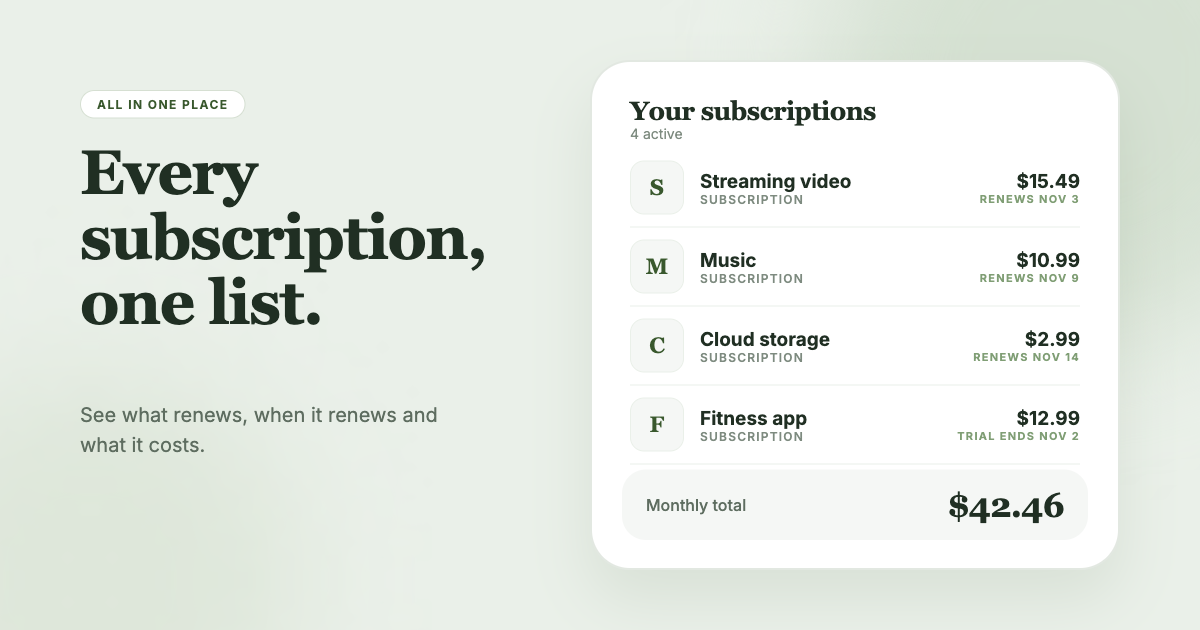
SubSweeper scans your email receipts (read-only) to surface active subscriptions, free trials, and upcoming renewals in one dashboard. It sends reminders before charges, shows your monthly total and categories, and helps you cancel. It covers the subscription side of recurring payments, so a utility or rent payment that sends no receipt email will need to be tracked another way.