How to Cancel New York Times Subscription 2026
- Aidar Karimov
- Jan 16
- 2 min read

If you’re looking for how to cancel New York Times subscription, you’re not alone. Many readers sign up for a discounted trial, then forget to cancel before the full price kicks in. The New York Times doesn’t make cancellation obvious, and many users get stuck in loops or told to contact support.

This guide gives you clear, step-by-step instructions to cancel your New York Times subscription the best way, including online and phone options. We’ll also explain what happens after cancellation and how to avoid being charged again.
Tired of tracking news, streaming, and app subscriptions manually? You can keep everything under control with SubSweeper.
Before You Cancel New York Times Subscription
Check these details first:
Subscription type
Digital
Home delivery
Bundle (Games, Cooking, Audio)
Billing cycle
Monthly or annual
Refund policy
Usually no refunds for unused time
Login required
You must access your NYT account to cancel online
👉 Tip: Use SubSweeper to track renewal dates and avoid surprise renewals.
How to Cancel New York Times Subscription
Option 1: Cancel Online (Best Method)

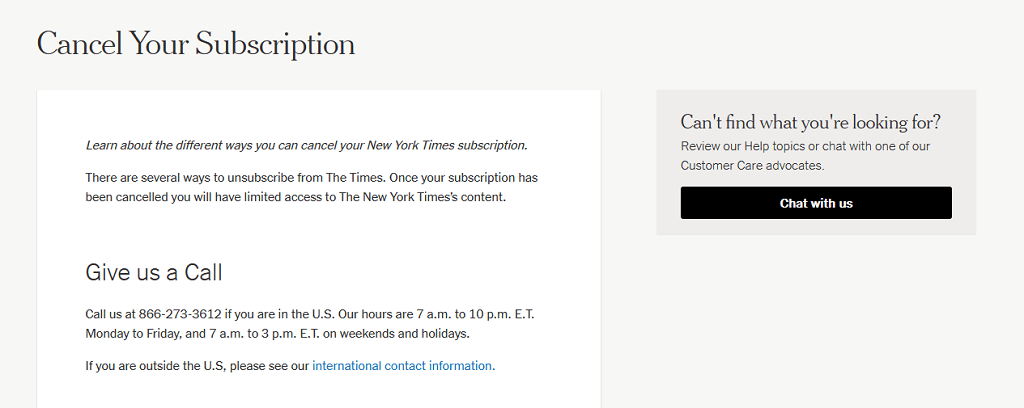
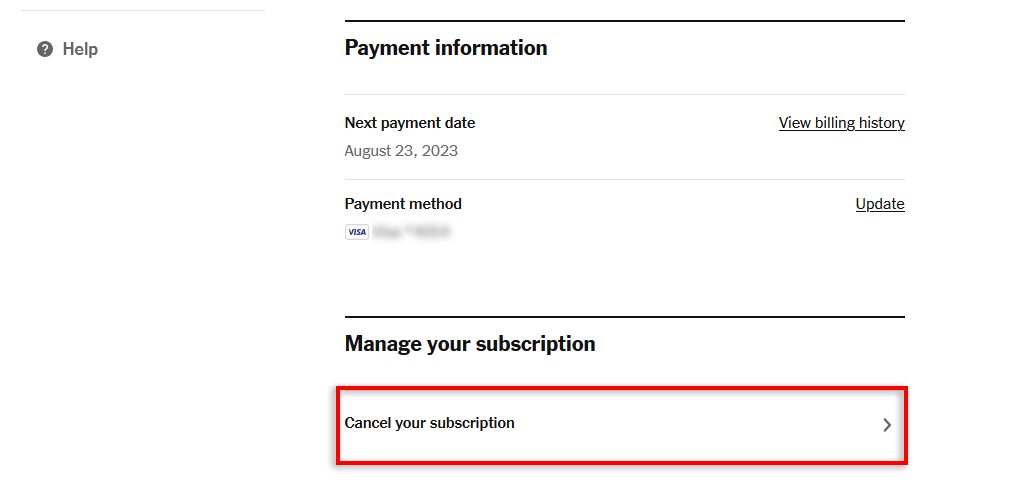

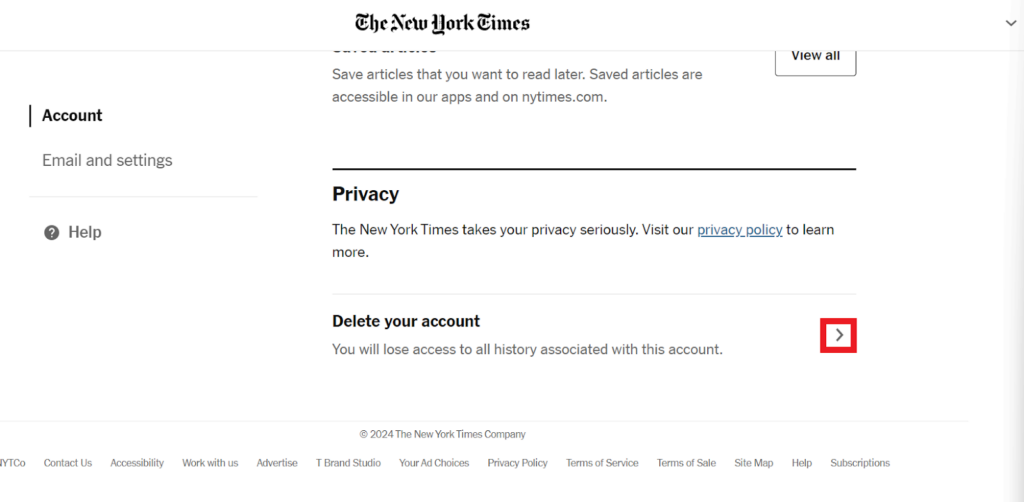
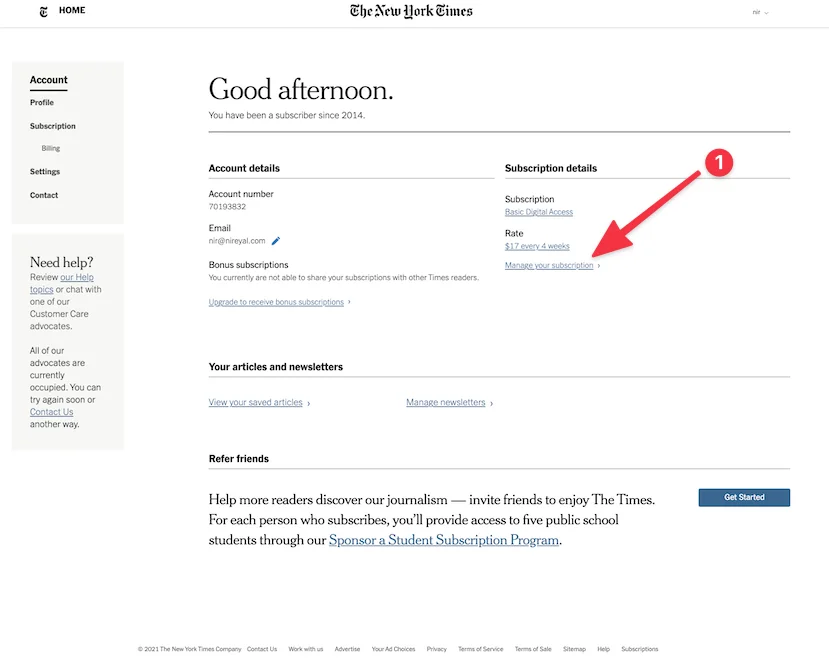
Go to the official website of The New York Times
Log in to your account
Click Account
Open Subscription & Billing
Select Cancel Subscription
Follow the prompts and confirm cancellation
⚠️ Important: NYT may show retention offers. Decline all offers to complete cancellation.
Option 2: Cancel by Phone
If the cancel button is missing or disabled:
Call 1-800-NYTIMES (1-800-698-4637)
Ask directly: “Please cancel my subscription and confirm.”
Request an email confirmation
⏱ Estimated time: 5–15 minutes
Alternative Cancellation Methods
Cancel via Apple App Store (iPhone / iPad)
If you subscribed through Apple:
Open Settings
Tap your Apple ID
Select Subscriptions
Find New York Times
Tap Cancel Subscription
Cancel via Google Play (Android)
Open Google Play Store
Tap profile → Payments & subscriptions
Open Subscriptions
Cancel New York Times
What Happens After Cancellation
After you cancel:
Access continues until the end of the billing period
No new charges should appear
Your NYT account remains active
Saved articles and preferences stay intact
You can resubscribe anytime
👉 Track canceled and active subscriptions easily with SubSweeper.
Troubleshooting Common Issues
Cancel button not available
Subscription may be billed via Apple or Google
Or you must cancel by phone
Still being charged
Check confirmation email
Contact NYT billing support immediately
Deleted the app but still charged
App deletion does not cancel the subscription
Best Way to Cancel NY Times (Pro Tips)
Cancel at least 24 hours before renewal
Always save screenshots or confirmation emails
Avoid chat delays by using the account page or phone
Track news and media subscriptions with SubSweeper
Conclusion
Canceling a New York Times subscription is simple once you know where your billing is managed. Online cancellation works for most users, while others may need to call support. Always confirm cancellation to avoid future charges.
If you manage multiple news, media, or app subscriptions, it’s easy to lose track. SubSweeper helps you monitor, cancel, and manage subscriptions in one place.
👉 Register on SubSweeper and take full control of your subscriptions today.
Comments