Free Subscription Manager: What You Get at $0
Quick answer
A free subscription manager is easiest to find on your phone. Apple and Google both let you see, cancel, and (on Google, for some apps) pause store-billed subscriptions at no charge. For subscriptions outside the stores, the free tier of an app like Rocket Money shows them in one list, but its own help pages say canceling from the app is a Premium feature. A spreadsheet or a free email scan covers the rest.
What managing means
Managing a subscription means three things: knowing it exists, knowing when it charges, and being able to end or change it. A free tool usually does the first, sometimes the second, and rarely the third for services outside its own store.
Free option 1: Apple Subscriptions
On iPhone, open Settings, tap your name, tap Subscriptions, and select a subscription. Apple's page says to scroll down if needed and tap Cancel Subscription. If there is no cancel button, or you see a red expiration message, Apple says the subscription is already canceled.
This is a real manager. You can see and cancel everything billed through your Apple Account. It cannot see anything billed elsewhere.
Free option 2: Google Play subscriptions
On Android, open your subscriptions page in Google Play, choose a subscription, and tap Cancel subscription. You keep access until the end of the period you paid for.
Google also documents a pause option for apps that offer it. Open the subscription, tap Manage, then Pause payments, and pick a period. Google says the options range from one week to three months, depending on the app, and the pause starts when your current billing period ends. You can resume the same way.
Google warns that uninstalling an app does not cancel its subscription. If you delete an app you no longer use, cancel it first.
Free option 3: The free tier of Rocket Money
Rocket Money's site says its free plan lets you link checking, savings, credit card, and investment accounts and that it finds your recurring subscriptions and bills. The Help Center says it in one line: free members can see their subscriptions listed in one place, and Premium members can cancel from the app.
So the free tier manages by showing. You see the list, then you cancel each service yourself. For Premium members, the cancel steps in the app are:
- Open the Recurring tab.
- Tap All.
- Tap the three dots beside the subscription and choose Cancel.
- Choose Cancel This For Me, or View Instructions to cancel manually.
I could not confirm that View Instructions is available on the free plan, so check in the app.
Free trials of paid apps
Copilot shows a Test drive for free option and a one-month free trial on its site. Monarch lists a 7-day free trial. Both are trials, so they end in a charge unless you cancel. If you use one to clean up your subscriptions, put the trial end date in your calendar the day you start.
Free option 4: A spreadsheet manager
A spreadsheet manages what you type into it. Build columns for service, price, billing cycle, next charge date, payment method, and cancel link. Sort by next charge date so the nearest renewal sits on top. Add a total for monthly cost by dividing annual items by twelve.
Open it on a fixed day each month. A spreadsheet that gets updated twice a year is a record of old subscriptions.
Free option 5: Reminders you set yourself
Your calendar is a manager too. When you start a trial, add an event the day before it ends with the cancel link in the notes. When you pay annually, add an event two weeks before renewal. It is the simplest version of the warning feature that paid apps sell.
What free tools usually leave out
- Canceling subscriptions billed outside the app stores. Rocket Money states this is Premium, and other finance apps on the list describe tracking rather than canceling.
- A single view across store-billed and card-billed subscriptions, unless you link accounts or scan email.
- Automatic warnings before charges, in most free tiers.
If one of these matters to you, decide whether the time saved is worth a fee. If you have only a few subscriptions, the free tools are enough.
How to build a free system
- Check the Apple or Google list and cancel what you do not use.
- Review three months of card statements for repeating charges.
- Put the rest in a spreadsheet with renewal dates.
- Set calendar reminders for trials and annual renewals.
- Review the sheet monthly.
When paying makes sense
Pay for a manager only when a specific gap costs you more than the fee. Three situations qualify. You have many subscriptions billed by card, and hunting down each cancel page takes hours. You miss renewals because nothing warns you. You want one view of store-billed and card-billed subscriptions without building it by hand.
Check the price on the company's own site before you commit, because plans and offers change. Copilot and Monarch list their prices and trial terms on their pages, and Rocket Money describes its Premium features in its Help Center without a price on the pages I opened.
If none of those three situations applies, stay free and review monthly.
Where SubSweeper fits
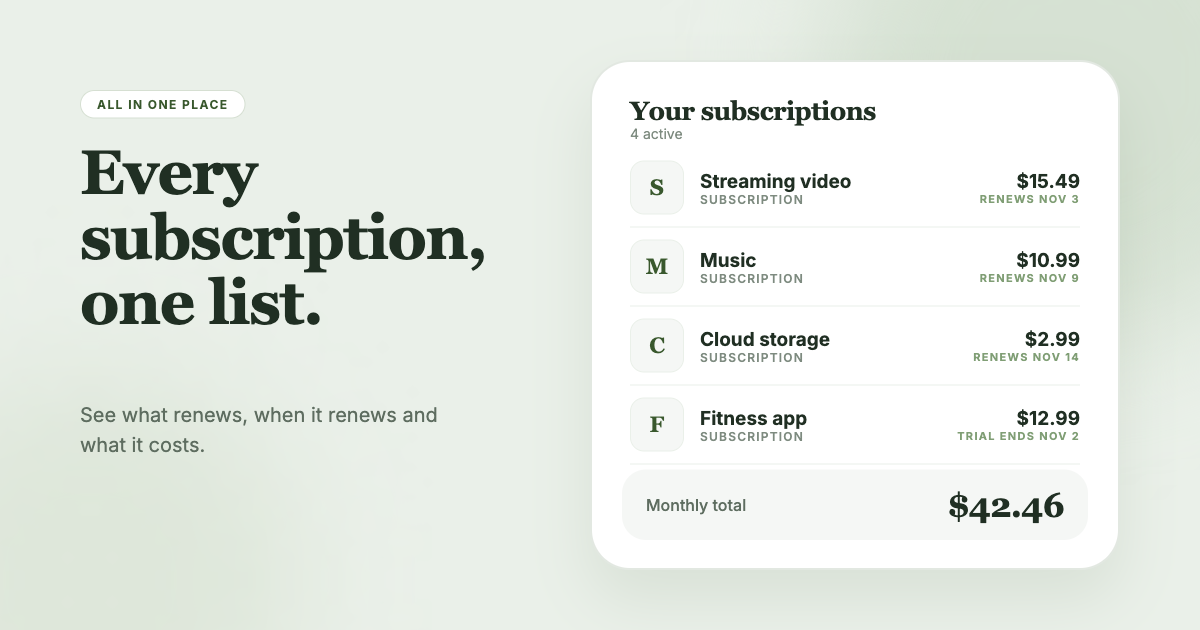
SubSweeper scans your email receipts (read-only) to build the list for you: active subscriptions, free trials, and upcoming renewals in one dashboard, with reminders before charges, a monthly total, categories, and help canceling. If you want the list to build itself instead of keeping a spreadsheet, it is one way to do that without linking a bank.